
Anecdotal records for teachers has been my white whale. I’ve tried multiple ways such as paper notecards, Google Sheets, and OneNote pages. Nothing really seems to work. It is either too hard to do data entry or sorting becomes too hard.
And I stumbled upon Airtable and I think I found my answer. Airtable is essentially a light-weight relational database. You can’t do real SQL queries. But you can create lookup relationships between tables, which is pretty wonderful. You can base fields off of formulas, which is super helpful.
But, the big deal here is you can create different ways to view your data. You are not just stuck with a big table. You can have a grid, a kanban board, a calendar, and a few more.
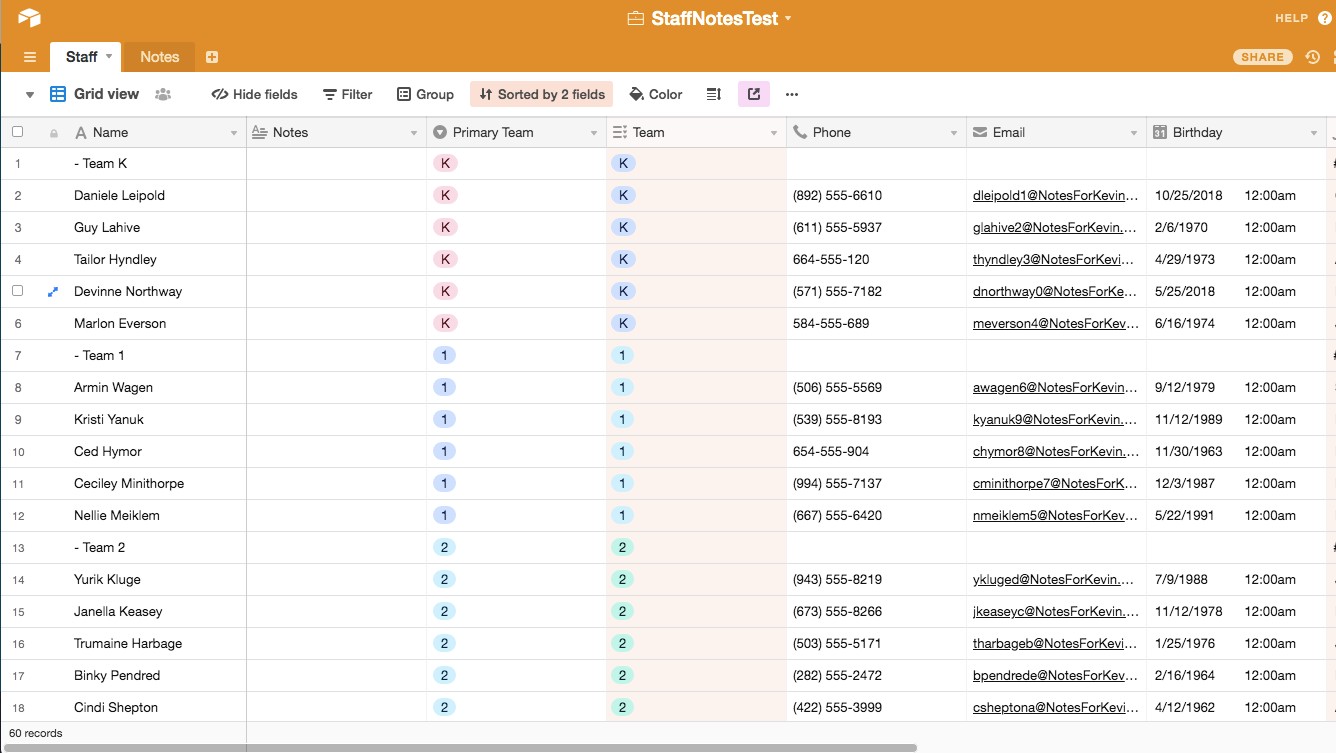
For example, here is a sample of my list of teachers (all fake data). We have
- Name
- Notes
- Primary Team
- Team (Because you might be ESOL, but also on the 4th and 5th grade team)
- Phone
- Upcoming Birthday
This is the Standard Grid View. It is a giant table that you can sort and filter like if it where a spreadsheet.
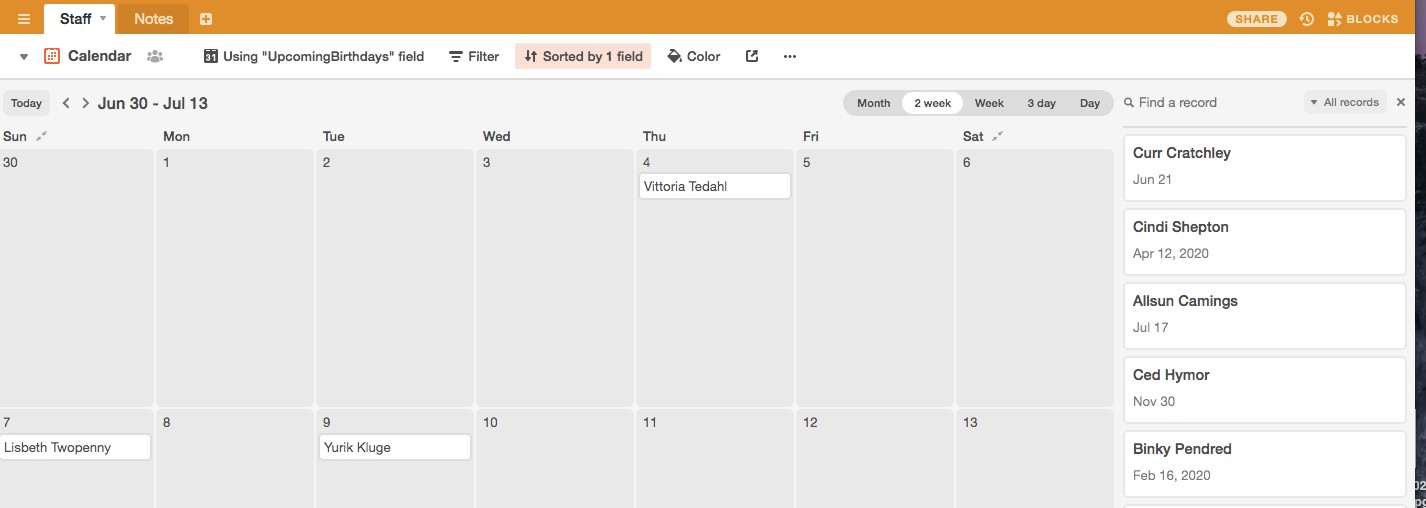
But, by clicking next to the dropdown by “Grid View” you can change the view. Here is the Calendar view, based on upcoming Birthday. How amazing is that!
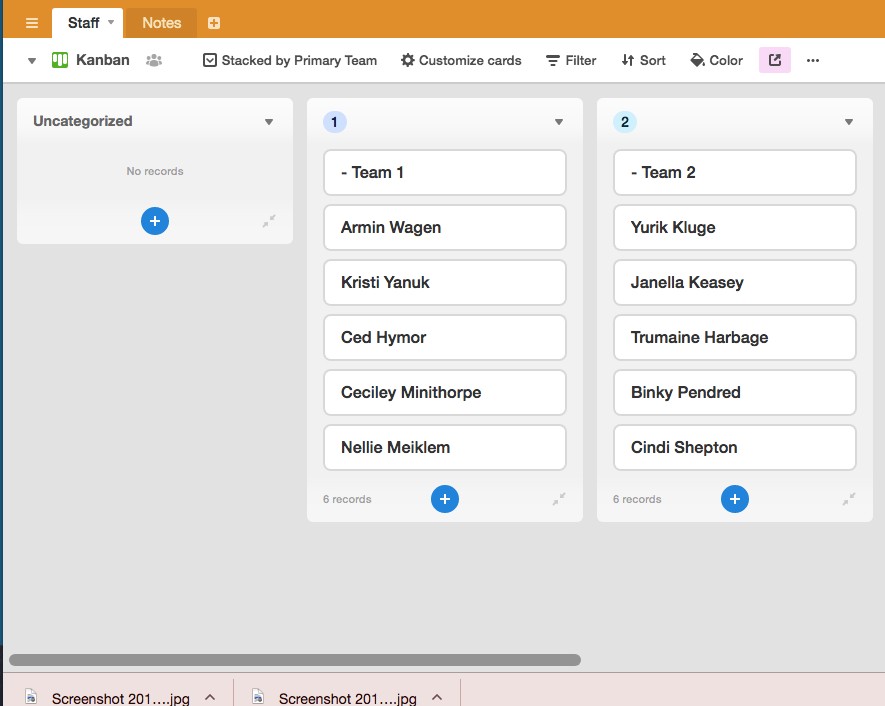
And then you can have a kanban view, which you can drag and drop which will change the underlying data. This is now sorted by team. If you drag and drop to a different column, the team will change as well.
This is the test case I built to see if it was workable. If you use the link you can see the whole “base.” No edits, but you can see how everything else works. It is pretty mind-blowing. If I end up using it for staff notes, I’ll end up purchasing a license, because I believe in “buying the pencil.” I really like the possibilities of this tool!
 Notes For Kevin
You must be logged in to post a comment.